Thursday, 29 March 2012

IST animation assessment task

19-3-12:
Once I got home, I decided to work on my IST assessment. I started by exporting my castle using the Export Bitmap option, as shown below. I slowly cut section off, so that it would look like it was zooming into the window. Whilst I was exporting, I had an idea that would make my animation more entertaining. Instead of making my prince and princess fall in love, I will make the princess very ugly that the prince faints. It will be funnier instead of the usual and I will also make it more modernised. 


IST animation assessment task

16-3-12:
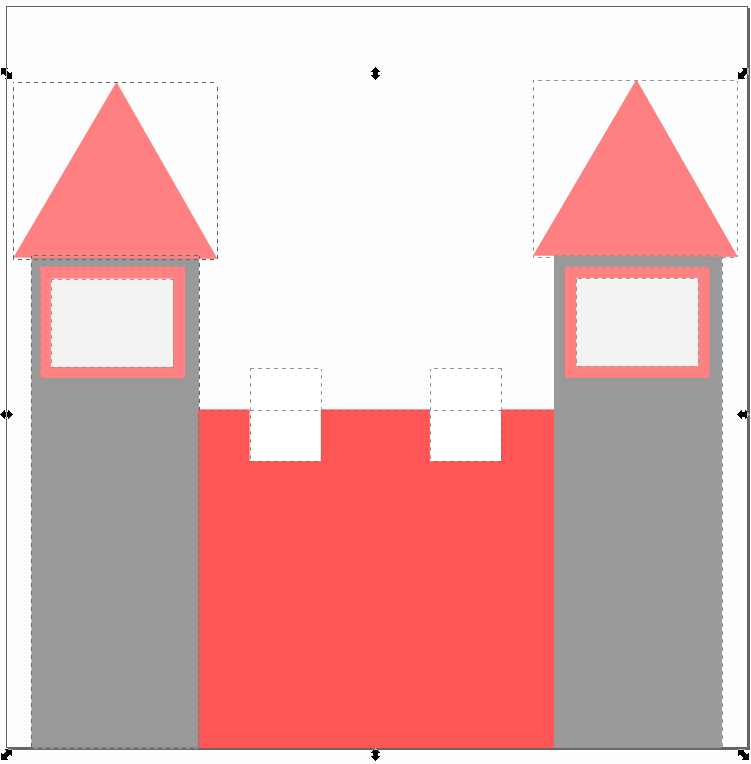
Today I got straight into my animation and drew my castle. After drawing the castle, I realised that pink and grey looked better in the castle. This is because it is a princess' castle and went with the theme of love. Below is the castle I will be using for my animation. Below that is the Fill and Stroke box that I used to colour in all of my objects during the task. For this castle I used squares, triangles and rectangles. I had an issue grouping the object but thankfully Mansi helped me out in grouping it. Just as I saved my castle, my Inkscape encountered a problem. This taught me to save as soon as I start creating.


IST animation assessment task


15-3-12:
At home today, I had my idea, and so got into planning my animation. I decided that I would draw everything myself, as this would challenge me more. (I chose Inkscape for the creation of my animation and will explain why, later on in my Blog). Below is a screenshoot of some different tools in Inkscape. Next lesson, I will draw a blue and grey castle with large towers on each side.


IST animation assessment task

13-3-12:
In class today, I was determined to choose an idea and get into my animation. I researched a few websites and looked at Wiki Commons. After looking for some ideas, I decided I would do Rapunzel. My animation will be about Rapunzel waiting for her Prince Charming and when he does come, Rapunzel lets down her hair and he climbs on. Next, I will show the prince and princess in love.

IST animation assessment task

9-3-12:
 Today Mr Lennon discussed the Still to Moving Assessment Task with us. It requires us to make an animation which should be a suitable size. We were allowed the option to promote our house or do something of our choice. He told us two very important tips:
1. Before you start, always make the drawing box a size you want and Once we had been through the project, I started to look for ideas. Some included, Elmo, Dragons, Flower.etc. I didn't find anything I liked, so will continue tomorrow. 

IST animation assessment task

22-2-12:
Today we discussed the fundamental difference between image file types. There are two types of image creation software-

1. Paint Programs:
Paint programs create an image pixel by pixel. Horizontally the pixels are named (x) and vertically they are (y). So the total number of pixels are (x) times (y). Paint programs make bitmap images. A bitmap image is basically the map of the colour of each pixel in the image. Paint is a bitmap image.

2. Draw Programs:
These create an image from "objects" (shapes). Examples include, lines, text characters, circles, squares, prisms.etc. They are called vector images. Vector images have object properties, line width, line colour and fill. Word is a vector image.

Wednesday, 28 March 2012


Paint is a program you can use to create drawings on a blank canvas or on top of other pictures. The program features a toolbar on the which is shown above.